brew-potato
a terminal UI for Homebrew — built with Go & Bubble Tea
why
brew list dumps everything: your packages, their dependencies, transitive dependencies — all mixed together. There's no built-in way to see what you actually installed.
brew-potato shows only user-installed formulae, nothing else. Built while learning Go. A real project beats another todo app.
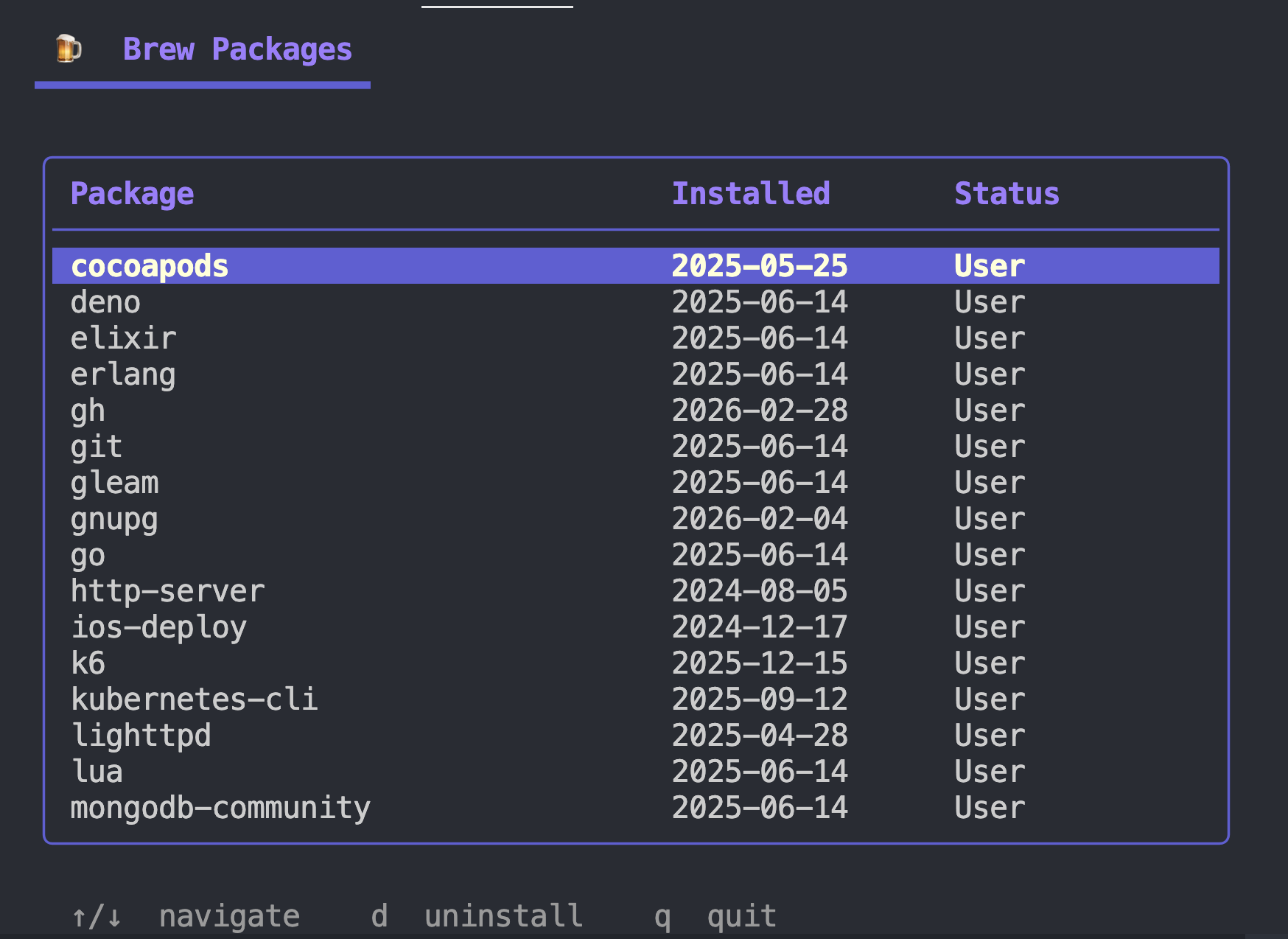
preview
what it does
- Lists only user-installed Homebrew formulae — no dependency noise
- Shows install dates for each package
- Async uninstall with a live spinner — row turns red in place, no flicker
- Full-screen TUI with rounded border and styled header
- Tells you cleanly if
brewisn't found — no stack traces
run it
# clone and run
git clone https://github.com/mrSamDev/brew-potato
cd brew-potato/brew-ui
# requires Go 1.21+ and Homebrew
go mod tidy
go run .
# or build a binary
go build -o brew-potato .
./brew-potato
keybindings
↑ ↓
navigate packages
d
uninstall selected
?
show credits
q
quit
built with
Bubble Tea
TUI framework (Elm architecture)
Bubbles
Table and spinner components
Lip Gloss
Styles and layout
license
Do what every you want with it.
comments